

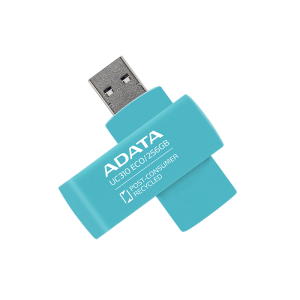
ADATA UC310 ECO Green USB 3.2 Pen Drive
৳ 1,300
Showing: (30 Items)
Filters
Price Range
Brands
Showing: (30 Items)
ADATA UC310 ECO Green USB 3.2 Pen Drive
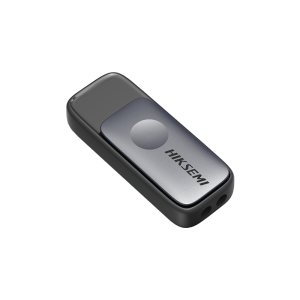
Hiksemi Pully HS-USB-M210S 64GB USB 3.2 Pen Drive
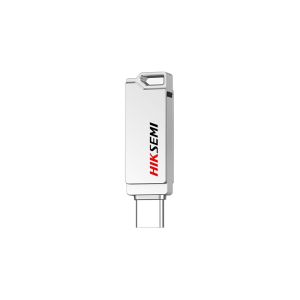
Hiksemi Sync HS-USB-E327C 64GB USB 3.2 Pen Drive
Smart Lock Head USB 3.2 Pen Drive
Smart X4 Premier SM12 USB 3.1 Pen Drive

Lexar JumpDrive M400 64GB USB 3.0 Pen Drive
Lexar JumpDrive S80 64GB USB 3.1 Pen Drive
Lexar JumpDrive V100 64GB USB 3.0 Pen Drive
ADATA UC310 64GB USB 3.2 Pen Drive
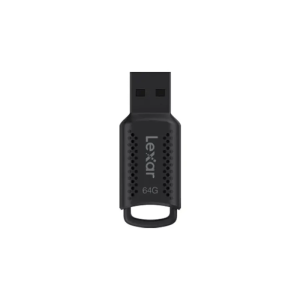
Lexar JumpDrive V400 64GB USB 3.2 Pen Drive

Apacer AH25B USB 3.2 Pen Drive
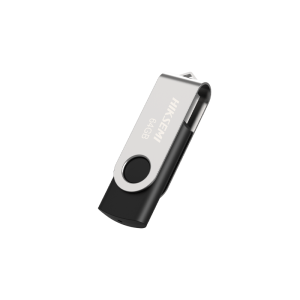
Hiksemi Rotary 64GB Pen Drive
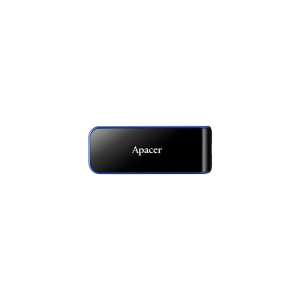
Apacer AH356 USB 3.2 Pen Drive
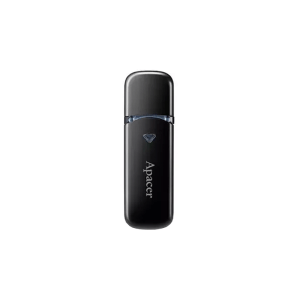
Apacer AH355 USB 3.2 Pen Drive
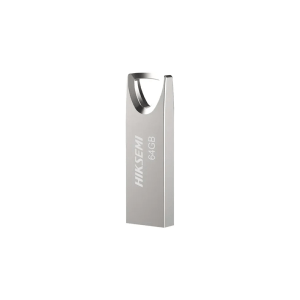
Hiksemi CLASSIC 64GB USB3.0 Pen Drive
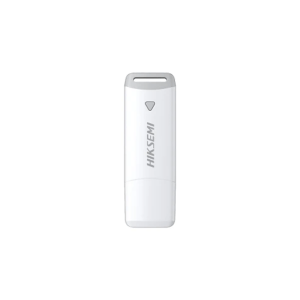
Hiksemi Cap HS-USB-M220P 64GB USB 3.2 Pen Drive

ADATA UR340 USB 3.2 Metal Body Pen Drive
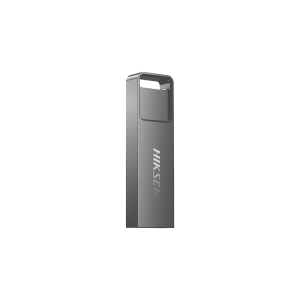
Hiksemi Blade HS-USB-E301 64GB USB 3.2 Pen Drive
To carry digital files hassle-free, pen drives come in handy in our day to day lives. Any users could be in need for transferring documents, large content videos, presentations, or personal CV by using a pen drive. Sometimes file sharing might not be possible if you are having internet delays or sudden Wi-Fi issues with your Desktop computers.
Those might be the most realistic case users feel the necessity of keeping a pen drive. That is why whenever users look for pen drive price in Bangladesh, they are actually seeking a device to transfer files or carry their digital files and move into another device without any data loss.
Depending on various storage sizes, build quality, and USB port generations, such pen drives prices can vary from one another. Some of them are are given below:
|
Model |
Price |
Best For |
|
৳1,300 |
Everyday storage |
|
|
৳1,300 |
Office files |
|
|
৳2,000 |
Durable everyday use |
|
|
৳1,500 |
Fast file transfer |
|
|
৳1,600 |
PC & Type-C devices |
*Note: Prices may vary due to market fluctuations and stock availability
Cloud storage works well until internet speed becomes the limitation. Copying a large project, sharing photos during a meeting, or installing Windows on another computer is often much quicker with a USB drive than uploading everything online.
Many users also keep one pen drive dedicated to backups. Important documents, family photos, academic work, or software installers remain available even when internet access is unavailable.
Various pen drive brands got popular among users by offering good capacity and durable design. In Bangladesh, pen drive brands like Transcend, Adata and Lexar have already won the user's heart.
Transcend is notable due to offering amazing build quality in few of their pen drives. Models like Transcend JetFlash 810 are among the notable ones. Just like that, Adata’s UR350 comes with an ultra compact design, making it famous for users who require greater portability.
Small specifications often matter more than capacity alone. Looking at everyday usage usually makes choosing the right model much easier.
When you buy a higher capacity pendrive, then you will get a larger file storing capability. And depending on your personal use case, you should choose the right size, like 16GB, 64GB, and 128GB pen drive.
If it’s a higher generation USB, then you will get better transfer speed for transferring your data. Like the ADATA UR340 uses a USB 3.2 gen 1, meaning it can give you up to 5Gbps transfer speed.
Depending on your personal devices and everyday use cases, you should choose the right port for your pen drives. For example, if you use a desktop PC mostly, then buying a pen drive with a USB port is ideal.
When you buy a pen drive with greater build quality, like metal design, or rubberized silicon. Which are amazing to keep them safe for avoiding accidental drops or bumps.
Large video files, backups, and software folders take much longer on slower drives. Faster transfer speeds become more valuable as file sizes continue growing.
Some users keep a pen drive attached to a keychain every day. Compact designs are easier to carry, while capless or retractable models reduce the chance of losing protective covers.
Simple specifications explain most of the differences between one USB drive and another.
|
Term |
What It Means |
Why It Matters |
|
USB 3.2 |
Faster USB standard |
Quicker file transfers |
|
USB Type-C |
Reversible connector |
Modern device support |
|
USB-A |
Standard USB connector |
PC compatibility |
|
Dual Drive |
Two connector types |
Works across devices |
|
Metal Body |
Metal casing |
Better durability |
|
Plug and Play |
Ready after connecting |
No setup required |
Each storage option works better in different situations. Now, let’s see below few of the differences we encounter while using these storage types:
|
Feature |
Pen Drive |
Cloud Storage |
|
Internet |
Not required |
Required initially |
|
Transfer Speed |
Usually faster |
Depends on internet speed |
|
Portability |
Pocket friendly |
Accessible anywhere |
|
Storage Access |
Offline available |
Always online required |
|
Best For |
Local file transfer |
Multi-device access |
There are numerous shops available both online or offline who are selling pen drives in Bangladesh right now. Although it is wise to purchase a pen drive from a store where you can put your trust on. That’s where Apple Gadgets comes in. Where you will get authentic pen drives at the best price in Bangladesh. Besides pen drives there’s also other computer accessories available at our side. You also get an effortless EMI policy and 24-hour customer support from us to make your purchase journey much easier.
USB 3.2 offers noticeably faster transfer speeds than older USB standards.
One pen drive supports both USB-A and USB Type-C devices.
Metal bodies generally resist everyday scratches better than plastic designs.
Many USB Type-C smartphones support compatible pen drives directly.